Xiaomi Yeelight RGB Smart Bulb
Yes, yes, yes! I am so excited about this one! So let's dive right in!
Welcome to my review of the Xiaomi Yeelight RGB, a cheap Philips HUE alternative!
Some of you might have read my previous article about the SonOff SmartSwitch that I bought trough Banggood. About two months later I am still happy with my purchase but there was an itch for something new... Right, RGB bulbs :). I am going to guess that most of the people who are reading this are familiar with the Philips HUE bulbs, if not I will give a quick summary below.
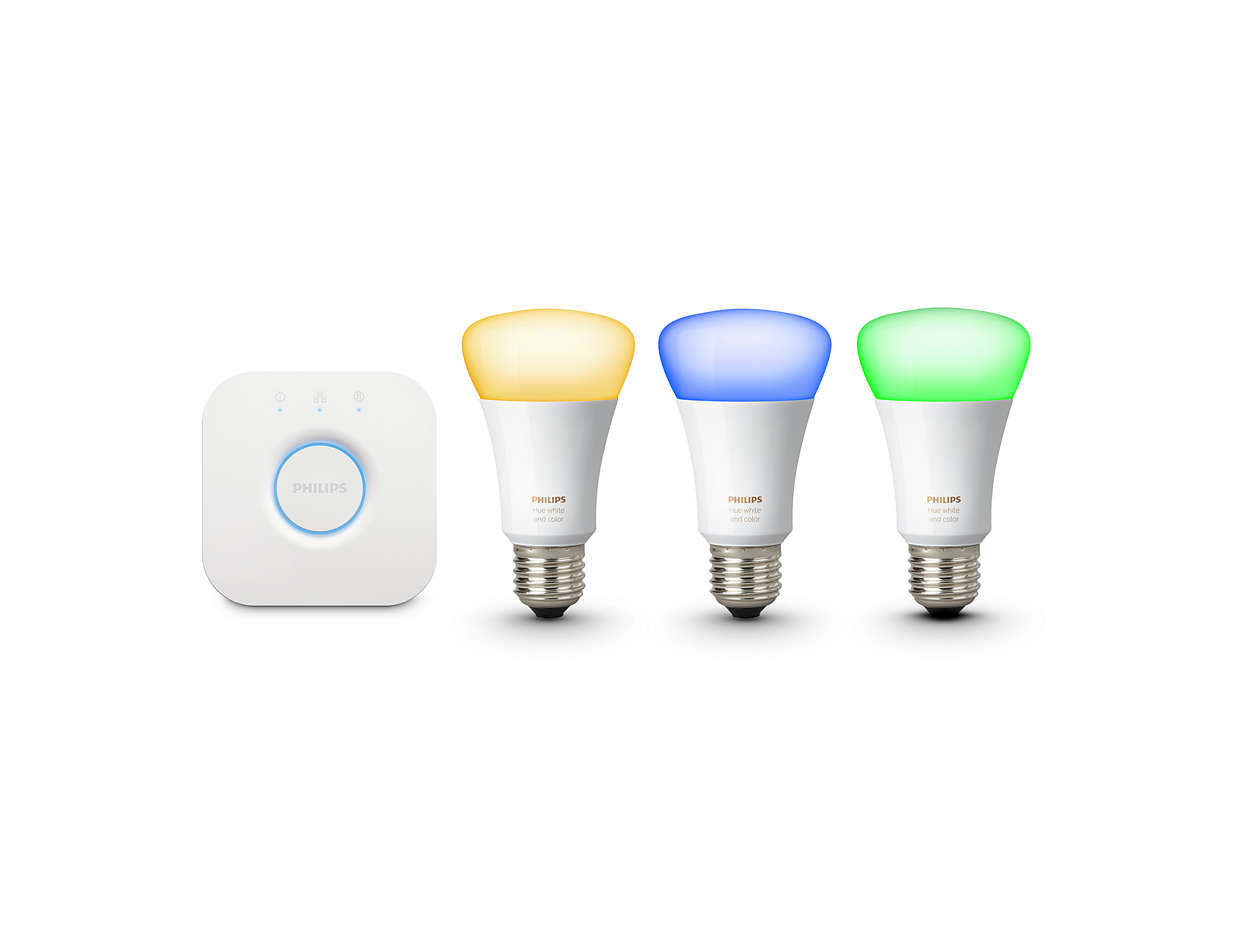 Philips HUE lights are basically what really started this hype about Smart Bulbs the last year or so. So what they basically do is they change can change colour depending on what mood you are in. For instance, when you want to watch a movie you might want to make the bulbs a dimmed shade of blue. When there is a party you want to have a bright colour. When you want to purchase Philips HUE bulbs you don't just go to the store and buy a bulb. No, you will need to get a starters kit with a hub, because the Philips HUE lights need a hub to be controlled the start price is usually quite high. The price currently in the Netherlands for 3 RGB bulbs and a hub is around €159,-. In my opinion, this is allot of money for some smart bulbs.
I liked the Philips HUE lights but I thought they were way too expensive for me to own, so I kept it for what it was. Few months later I found out that Xiaomi makes smart LED bulbs for very little money compared to the Philips HUE bulbs. You can get a Xiaomi Smart bulb for as cheap as €10, wow! The bulbs connect directly to WiFi and you don't need a hub. So a good money saver in my opinion :). After doing some thinking and reading some reviews I was convinced I wanted to get some of their E27 RGB Smart Bulbs at the price of €15 a bulb, before I knew it I bought 2 of them trough Banggood and about 2 weeks later I received them.
Packaging
It would not be a package from China if it didn't come in a grey plastic bag full of stickers. Ones I tore into the packaging I found two good looking product boxes.


Welcome to my review of the Xiaomi Yeelight RGB, a cheap Philips HUE alternative!
Some of you might have read my previous article about the SonOff SmartSwitch that I bought trough Banggood. About two months later I am still happy with my purchase but there was an itch for something new... Right, RGB bulbs :). I am going to guess that most of the people who are reading this are familiar with the Philips HUE bulbs, if not I will give a quick summary below.
I liked the Philips HUE lights but I thought they were way too expensive for me to own, so I kept it for what it was. Few months later I found out that Xiaomi makes smart LED bulbs for very little money compared to the Philips HUE bulbs. You can get a Xiaomi Smart bulb for as cheap as €10, wow! The bulbs connect directly to WiFi and you don't need a hub. So a good money saver in my opinion :). After doing some thinking and reading some reviews I was convinced I wanted to get some of their E27 RGB Smart Bulbs at the price of €15 a bulb, before I knew it I bought 2 of them trough Banggood and about 2 weeks later I received them.
Packaging
It would not be a package from China if it didn't come in a grey plastic bag full of stickers. Ones I tore into the packaging I found two good looking product boxes.

For only €15,- I was surprised at the good-looking packaging. Opened it up and found the bulb inside and a little product manual in Chinese. Sadly enough I do not speak Chinese so I put the manual away.

Installation
To get started I found a lamp that would fit my E27 bulb. Grabbed the App from the Google Play Store (Here) and got started!
I already configured one of my lights to get to grips with my new purchase. Before you follow my steps be sure to create a Xiaomi account and select Mainland China as your service. Or at least, this is what I read online and decided to follow up on this advise.

Start off by adding your light by clicking the + icon in the top right.

Next up select the device you want to add. In my case the LED Bulb (Color).

Turn on your light and it should turn white. Press next in the app once you have done this.

It should find your light, click the MAC-address displayed (it should be different from mine) and press next.

Next it is going to ask you to put in your WiFi SSID and password. Select your WiFi network from the list and fill in your password, keep in mind that this bulb does not support 5GHz. Press next.

Wait for it to finish the installation and that is it. You can now control your Yeelight from the app.
The app
After you are done with the installation you are ready to start playing with your new Smart bulb. There are a few different menus in the app which I will go over quickly.

On the main screen, you can select a few different pre-defined scenes. I quite like these scenes. It varies from emulating the Sunrise / Sunset to a romance mode if you want to get frisky with the lady 😏.

In the next menu you can change the way your whites look. You can change it from industrial bright ugly LED lighting to nice and cozy warm white.

If some colour is more your thing it is all up to you. Pick just what you want.
Here are some examples with colours.


Although it is pretty hard to get these colours across through the camera I hope you get the idea :).

You can also set timers, schedule when you want to turn your lights, use the color picker to get just the right colour you want or use music mode to make the lights adapt to the sound surrounding you.
Integration
The good thing about these bulbs is that Xiaomi allows access to the bulbs from outside their app. The way I applied this is trough Home Assistant, which is the software I use for all my Home automation.

You can also use IFTTT to do all sorts of fun things, it is up to you!
Conclusion
As you can probably tell by the review I love these bulbs. Right now I use them on my nightstand which is great when I watch a movie or let the lights turn on automatically in the morning when my alarm goes off.
Should you buy them? The answer depends, if you want the most perfect complete LED smart bulbs you should buy the Philips HUE lights. If you like to spend a lot less and still have a very good alternative that can do many things if you are willing to figure some of the stuff out I would definitely purchase some!
Video review
I am planning on doing a proper video review on these lights in the near future. Be sure to subscribe to my channel and keep an eye out for that video. You can find me here : https://www.youtube.com/channel/UCZBT1eq5PDu51HIUa4AK_OA
Thanks for reading my review. If you have any tips / feedback or want me to review a product. Sent me a message!

Reacties
Een reactie posten